
Soda TV: Stream Drama Shorts
Content Republic LimitedEntertainment
4.1222.00 Reviews
- Version
- 1.3.5
- Installs
- 500.00K
- Age Rating
- Teen
Screenshots
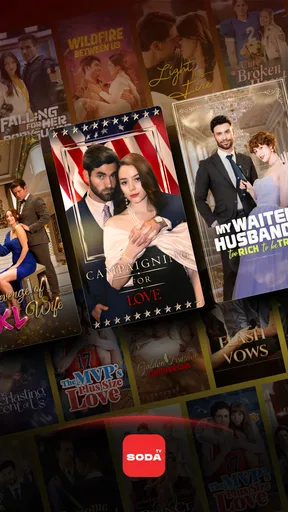
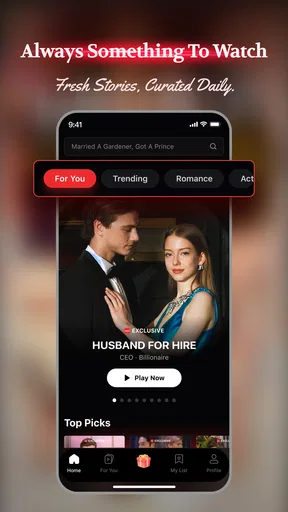

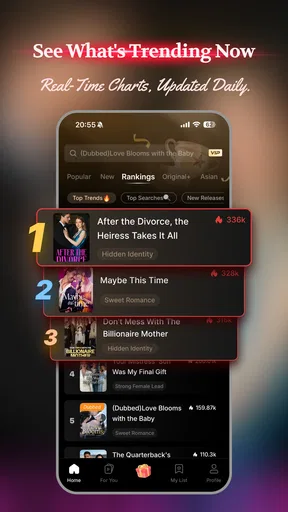
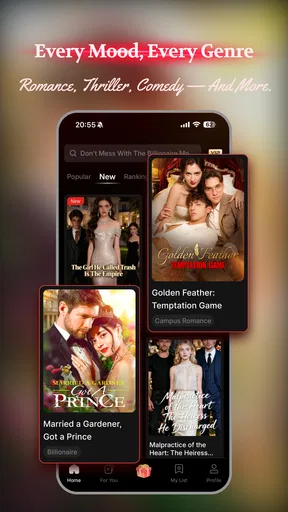
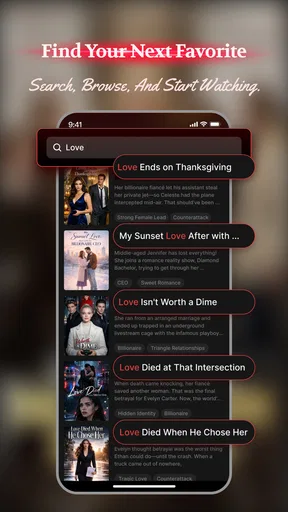
Our Review of Soda TV: Stream Drama Shorts
 Analysis by Appyee
I spent time with Soda TV as an entertainment app built around short dramas, romance episodes, and vertical movies. Its format is easy to understand: open the app, choose a story, and watch in brief bursts rather than settling in for a traditional full-length film. That makes it a natural fit for a commute, a lunch break, or the few minutes before bed when I want a plot with more momentum than a collection of random clips.
My overall impression is positive but cautious. The app is good at making serialized viewing feel immediate, especially if you enjoy emotional twists, relationship drama, and stories designed for a phone screen. At the same time, this is not the kind of streaming service I would recommend blindly to everyone. The short-episode structure can encourage “just one more” viewing, and the presence of in-app purchases means I would pay attention before tapping any purchase option. For me, the right way to use it is as a focused source of quick fiction, not as a replacement for every other streaming platform.
What Soda TV feels like in everyday use
The first thing that shapes the experience is the vertical presentation. Instead of treating the phone as a small television, Soda TV is designed around portrait viewing. I found that convenient because I could keep the phone in one hand and start an episode without rearranging my surroundings. It also suits moments when I do not want headphones, a stand, or a large screen. The trade-off is that the experience feels more intimate and less cinematic than watching a conventional series on a tablet or television.
The short-drama approach also changes how I judge a story. A long streaming episode can take its time with atmosphere, side characters, and quiet scenes. Short-form drama has to establish tension quickly, so the opening moments matter more. When the writing works, that pace is addictive: a disagreement, secret, or romantic complication appears quickly enough to make the next episode tempting. When it does not work, the same speed can make characters feel simplified and plot turns feel abrupt.
I would describe the catalogue’s appeal as emotional rather than broad. Someone looking for romance, dramatic reveals, and compact vertical movies will understand the attraction immediately. Someone hoping for documentaries, serious cinema, live television, or a deep selection of familiar long-running shows should look elsewhere. Soda TV is a focused entertainment app, and that focus is both its strongest identity and its main limitation.
The app comes from Content Republic Limited and is listed as free to download. That lowers the barrier to trying it, which I appreciate, but “free” does not mean every viewing path is necessarily free. The app includes purchases ranging from $0.99 to $129.99 per item, so I would treat the initial download as an invitation to explore rather than a promise of unlimited access without spending. If I were setting it up on a family device, I would be especially careful about purchase controls before handing the phone to someone else.
Who will get the most from it
Soda TV makes the most sense for viewers who prefer stories in small portions. If you often stop a conventional episode halfway through because you have to leave, the short format can feel more manageable. It is also useful for people who like serialized cliffhangers and do not mind that the story is delivered in many compact steps. I can imagine opening it while waiting for an appointment, watching a few scenes, and returning later when I have another spare moment.
It is less suitable for viewers who want complete, self-contained films every time. The app’s appeal depends on continuing stories, so patience matters. If you dislike unresolved endings or feel frustrated when a dramatic moment is used to lead into another episode, the format may become tiring instead of entertaining. I would also skip it if my main priority were a large-screen viewing experience, detailed production design, or the kind of slow storytelling that rewards uninterrupted attention.
A realistic everyday use case is a short evening break after work. I might have fifteen minutes before cooking, open the app, and watch several brief chapters of one romance story. That is more satisfying than scrolling through unrelated social posts because I am following a continuing narrative. However, I would set a stopping point in advance. The structure is built to keep the plot moving, and a quick break can easily become longer when every segment ends by asking what happens next.
How it compares with ordinary streaming choices
Compared with a mainstream video service, Soda TV feels lighter, faster, and more phone-centered. Traditional services are usually better when I want to browse established films, watch a long episode on a television, or choose among several genres. Soda TV is better when I want an immediately available story that does not require a long commitment at the start. The comparison is not really about which service is universally superior; it is about whether I want a compact serial or a conventional viewing session.
Compared with social video feeds, the app offers a clearer narrative purpose. A social feed may give me an endless mixture of comedy, commentary, news, and personal clips. Soda TV keeps the focus on scripted drama and romance. That can make the viewing experience feel less scattered, but it also removes the variety that makes a general feed useful. I would choose Soda TV when I want fiction, not when I want to discover whatever happens to appear next.
Compared with free video platforms, the important difference is the purchase model and the way stories are packaged. A free platform may offer individual videos that stand alone, while Soda TV is oriented toward continuing dramatic arcs. That can be more engaging, but it makes it important to understand how access is presented inside each story. Before committing to a series, I would explore the opening material and look carefully at any on-screen option that suggests unlocking, continuing, or buying.
Trust begins with visible choices
Because this app is designed for repeated viewing, I would judge it not only by its stories but also by how clearly it lets me understand my choices. The practical questions are simple: Can I tell what I am about to watch? Can I distinguish ordinary viewing from a purchase? Can I stop using the app without feeling pushed into a decision? Those are the controls I would look for during normal use rather than relying on attractive artwork or a dramatic preview to guide me.
I would also pay attention to account behavior. If the app asks me to create or use an account, I would read the sign-in screen carefully and avoid providing more information than is necessary for the viewing experience. If an account-management screen is available, I would check how it handles sign-out and any settings related to access. I do not assume that a particular control exists unless I can see it clearly, so my habit is to inspect the visible menus before building a large personal library or making a purchase.
The same caution applies to notifications. A short-drama service can benefit from reminders about new chapters, but I prefer to decide whether those reminders are useful before allowing them to interrupt my day. If the app presents notification choices, I would keep only the alerts that support a deliberate viewing routine. If the choices are broad, I would rather disable them than let the app turn every cliffhanger into a prompt to return.
The age label is Teen, which is useful context for families but not a substitute for personal judgment. I would not treat that label as a guarantee that every storyline will suit every teenager. Parents or guardians should still look at the material themselves and consider whether romance, conflict, or emotionally intense scenes are appropriate for the person using the device. On a shared phone, I would also remember that recommendations and viewing activity can become visible to the next person who opens the app.
Data-sensitive moments I would handle carefully
The most sensitive moments are not necessarily the dramatic scenes; they are the points where the app asks me to identify myself, permit access, or spend money. I would pause at sign-in, payment, and permission prompts instead of tapping through them automatically. The useful rule is straightforward: if a request does not seem connected to watching short dramas, I would question it before continuing.
I would be particularly careful with payment screens because the purchase range extends from small individual amounts to a much higher maximum item price. I would confirm the amount, the account being charged, and whether the action is a one-time purchase before approving anything. On a device used by children or guests, I would use the operating system’s purchase protections and require authentication where possible. That is not a criticism of the storytelling format; it is sensible protection for any free entertainment app with optional purchases.
I would also review the app’s privacy information through the platform’s normal app-store controls and any privacy section shown inside the product. I would not infer a data practice from the app’s category or from the fact that it is free. Instead, I would look for the actual explanation of what information is collected, why it is used, and what choices are offered. If those details are presented clearly, they help me decide how comfortable I am. If I am not comfortable with the explanation or cannot find the relevant controls, I would limit what I share and avoid making the app part of my daily routine.
Viewing habits can be revealing even when I am only watching fiction. Romance preferences, repeated searches, and the stories I finish can create a detailed picture of my interests. I would therefore avoid assuming that entertainment activity is insignificant. On a personal device, that may be acceptable. On a shared device, I would consider whether another user can see recommendations, recent activity, or an account that remains signed in.
Practical ways to keep control while watching
My first tip is to test the app with a small commitment. I would watch the beginning of one story, explore the navigation, and inspect the options around the next episode before buying anything. This reveals whether the pacing suits me and whether the viewing flow feels clear. It also prevents the common mistake of paying for a series simply because its opening scene created a strong emotional reaction.
My second tip is to separate entertainment decisions from impulse decisions. If a cliffhanger leads directly to a purchase prompt, I would close the prompt and decide later whether I genuinely want to continue. A short pause is useful because the format is specifically good at creating urgency. I would rather return with a clear budget than make several small decisions that add up without my noticing.
My third tip is to use the app in defined sessions. I would choose a number of episodes or a time limit before opening it, especially late at night. This is not about treating the app as a problem; it is about recognizing that serialized fiction is designed to make stopping difficult. A timer, a planned endpoint, or watching only during a specific break can preserve the fun without letting the app take over the evening.
Another useful habit is to keep expectations realistic when switching between devices. The portrait format is excellent on a phone, but I would not assume that it will provide the same comfort or visual impact on a larger screen. If I want a shared family movie night, I would choose a conventional streaming service instead. If I want private, quick viewing while standing in a queue, Soda TV’s design is much more appropriate.
Performance expectations and version context
The current version is 1.3.5, and the app supports devices running Android 7.0 or later. That makes it relevant for people using older Android hardware, although compatibility alone does not guarantee that every older phone will feel equally smooth. Short-form video still depends on the device, connection, storage, and background activity. I would keep the app updated through the normal store process and make sure the phone has enough free space for comfortable everyday use.
Since the app was released on December 31, 2024, I would approach it as a relatively young product rather than assuming that every workflow has been refined over years. That does not make it a poor choice, but it does affect my expectations. I would pay attention to whether navigation, account handling, and purchase explanations remain clear as I use it. If an update changes the way episodes or paid options are presented, I would review those screens again instead of relying on memory.
The public response is encouraging without being definitive: Soda TV has an average rating of 4.1 from around 5.7 thousand ratings, with more than two hundred written reviews and over 500 thousand installs. I see that as evidence of meaningful interest, not proof that every viewer will have the same experience. Ratings are especially limited for a format where personal taste matters so much. Someone who loves rapid romance drama may rate it highly, while someone seeking conventional cinema may reasonably reach a different conclusion.
My cautious verdict
I recommend Soda TV to a specific kind of viewer: someone who wants quick, serialized romance and drama on a phone, enjoys cliffhangers, and is willing to manage optional spending carefully. Its strongest quality is focus. It does not ask me to search through an enormous entertainment universe before finding something shaped for a short break. The vertical format and compact storytelling make it easy to fit into ordinary moments.
I would not recommend it as the only entertainment app in a household. It is too specialized for that, and the purchase structure deserves attention before anyone watches freely on a shared device. Viewers who want long films, major television libraries, documentaries, or a relaxed viewing pace will probably be happier with a conventional streaming alternative. People who dislike serialized suspense should also think twice, because the app’s central rhythm depends on wanting the next piece of the story.
For my own use, the decision comes down to boundaries and transparency. I would keep notifications under control, inspect account and privacy choices, confirm every payment screen, and use it in short planned sessions. With those habits, the app can be a genuinely enjoyable way to fill small gaps in the day. Without them, the combination of emotional cliffhangers and optional purchases could make the experience feel less relaxed than it first appears.
In the end, Soda TV is worth trying if its narrow purpose matches what I want from mobile entertainment. I like the convenience and the fast-moving stories, but I would recommend it with a clear condition: explore first, spend deliberately, and judge the visible controls as carefully as the dramas themselves. That cautious approach gives the app room to be fun while keeping the final decision in the viewer’s hands.
Verdict
Strengths of Soda TV: Stream Drama Shorts
- Short episodes are easy to watch during quick breaks.
- The app offers a convenient mobile-first viewing experience.
- New drama content can provide fresh entertainment regularly.
- Simple browsing makes it easy to discover short series.
- Portrait-oriented videos suit one-handed phone use.
Limitations of Soda TV: Stream Drama Shorts
- Some episodes may end abruptly to encourage continued viewing.
- The catalog may feel limited compared with major streaming services.
- Content availability can vary by region or device.
- Frequent notifications may become distracting for some viewers.
- Watching many episodes can consume mobile data quickly.
Similar Picks in This Category
View All
Google Play Games
Google LLC3.9

Netflix
Netflix, Inc.4.8

YouTube Kids
Google LLC4.2

Disney+
Disney4.4

Prime Video
Amazon Mobile LLC4.7

Steam
Valve Corporation3.2
Frequently Asked Questions
What is Soda TV: Stream Drama Shorts?
Soda TV is a mobile entertainment app focused on short-form drama series and bite-sized scripted videos. Episodes are designed for quick viewing, making the app suitable for users who enjoy romance, suspense, family stories, and other dramatic plots without committing to a full-length television episode. The available catalog, genres, and episode lengths may vary by region and over time.
Is Soda TV: Stream Drama Shorts free to download and use?
The app may be free to download, but access to all content can depend on its monetization model. Some episodes or series may be available at no cost with advertisements, while additional episodes, premium stories, or uninterrupted viewing may require in-app purchases, subscriptions, or virtual credits. Before watching extensively, check the current pricing, renewal terms, and payment details shown in the app store and inside Soda TV.
Does Soda TV require an internet connection?
Soda TV is primarily intended for streaming, so a stable internet connection is generally needed to load and play drama shorts. Performance can depend on your Wi-Fi or mobile data speed, and watching many episodes over cellular data may consume a significant amount of your allowance. If offline downloads are offered for your account or region, confirm whether downloaded episodes expire or remain limited to in-app playback.
Is Soda TV suitable for children and teenagers?
Parents should review Soda TV’s age rating and individual story content before allowing children to use it. Short dramas can include themes such as romance, conflict, emotional distress, violence, suggestive situations, or mature language, depending on the series. The app may also include advertising, purchases, and social or tracking features. Use device-level parental controls and purchase restrictions when sharing the app with younger viewers.
What should I know about privacy and in-app purchases before installing Soda TV?
Before installing Soda TV, review its privacy policy and the permissions requested on your Android or iOS device. Streaming apps may collect information related to account activity, device details, diagnostics, advertising, and viewing preferences, depending on the settings and services used. Also check whether purchases are recurring or one-time, how credits work, and how subscriptions can be canceled through Google Play or the App Store.
